THE BUILDING BLOCK
FOR GREEN SIGNAGE



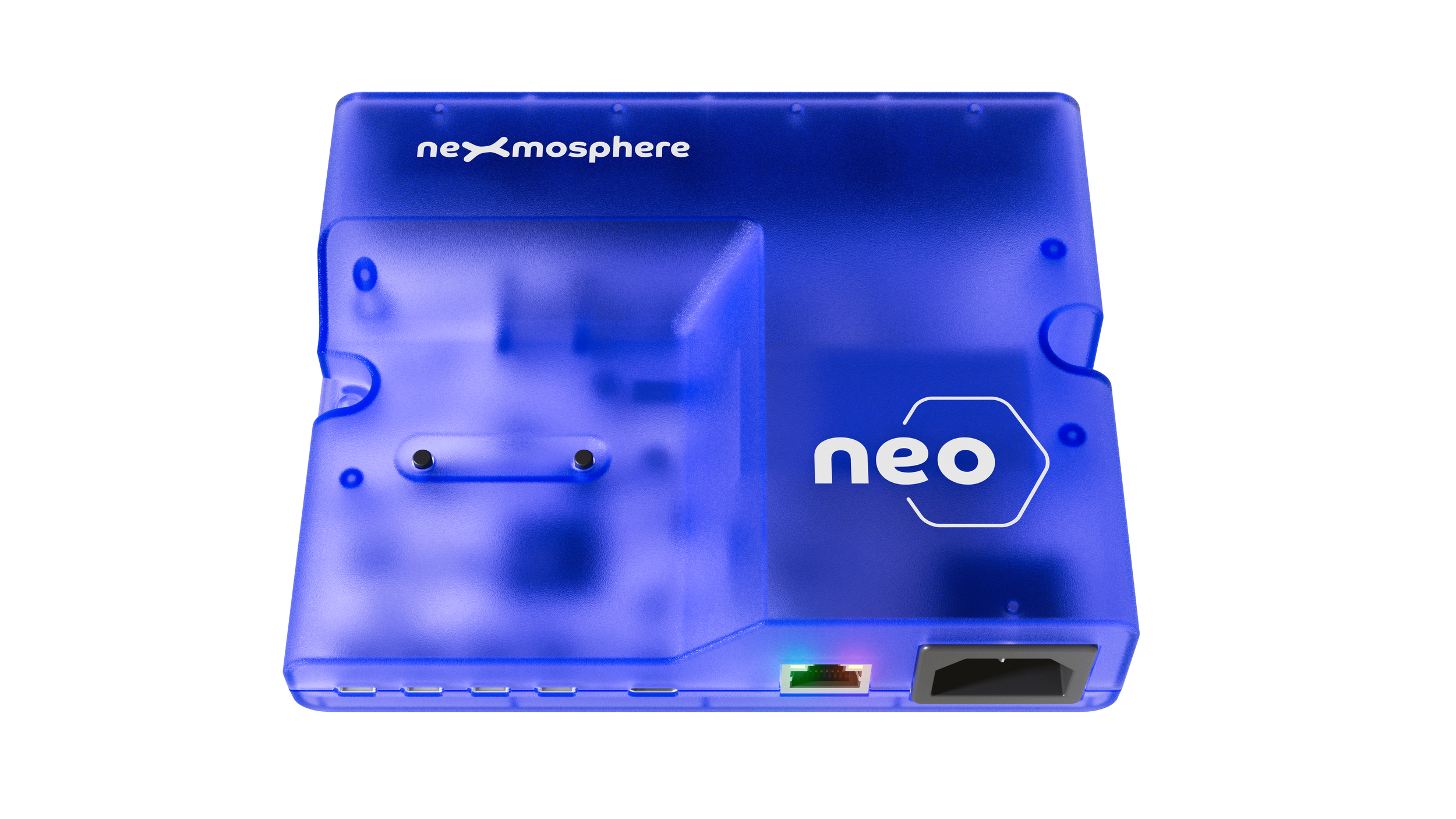
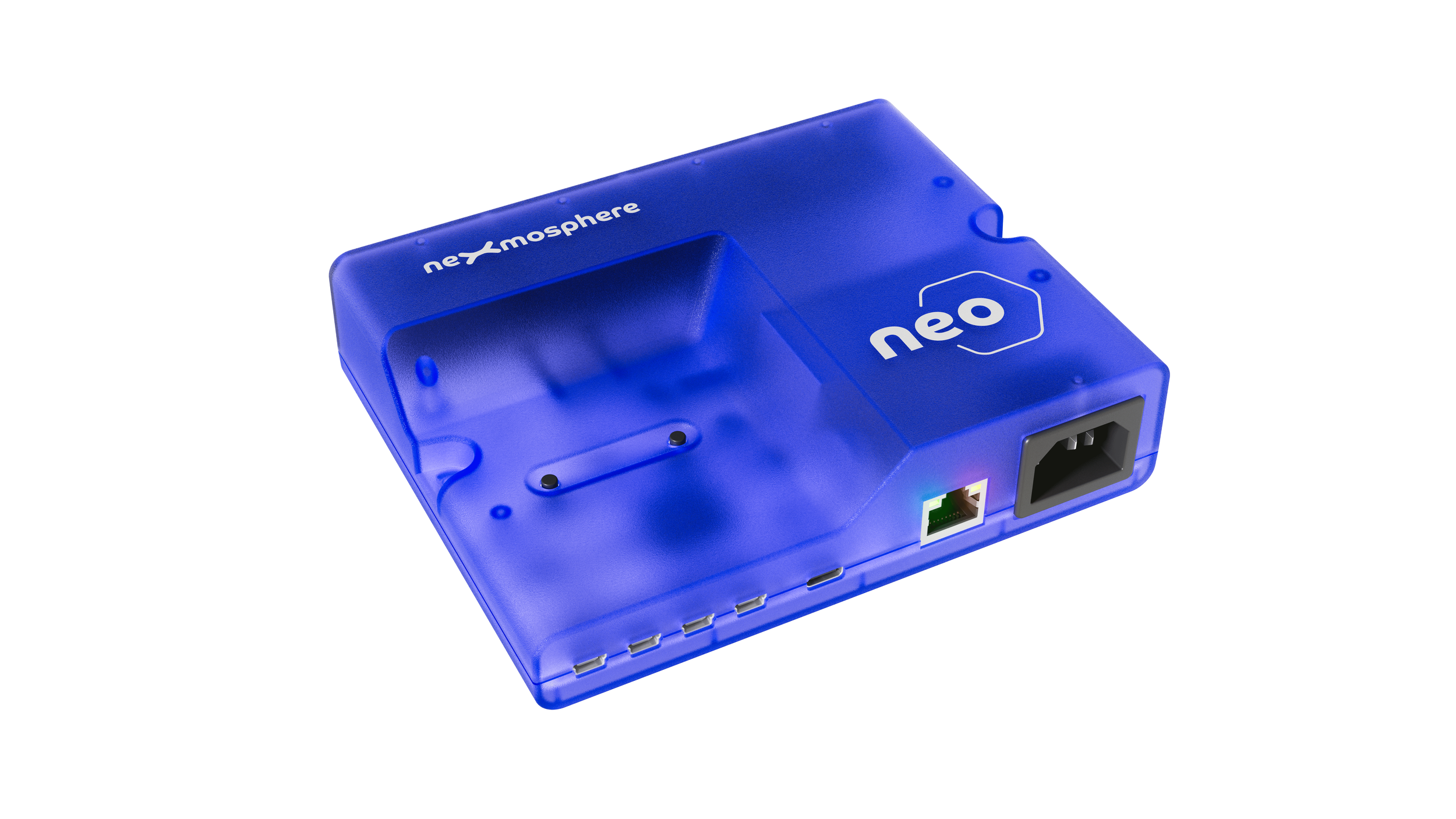
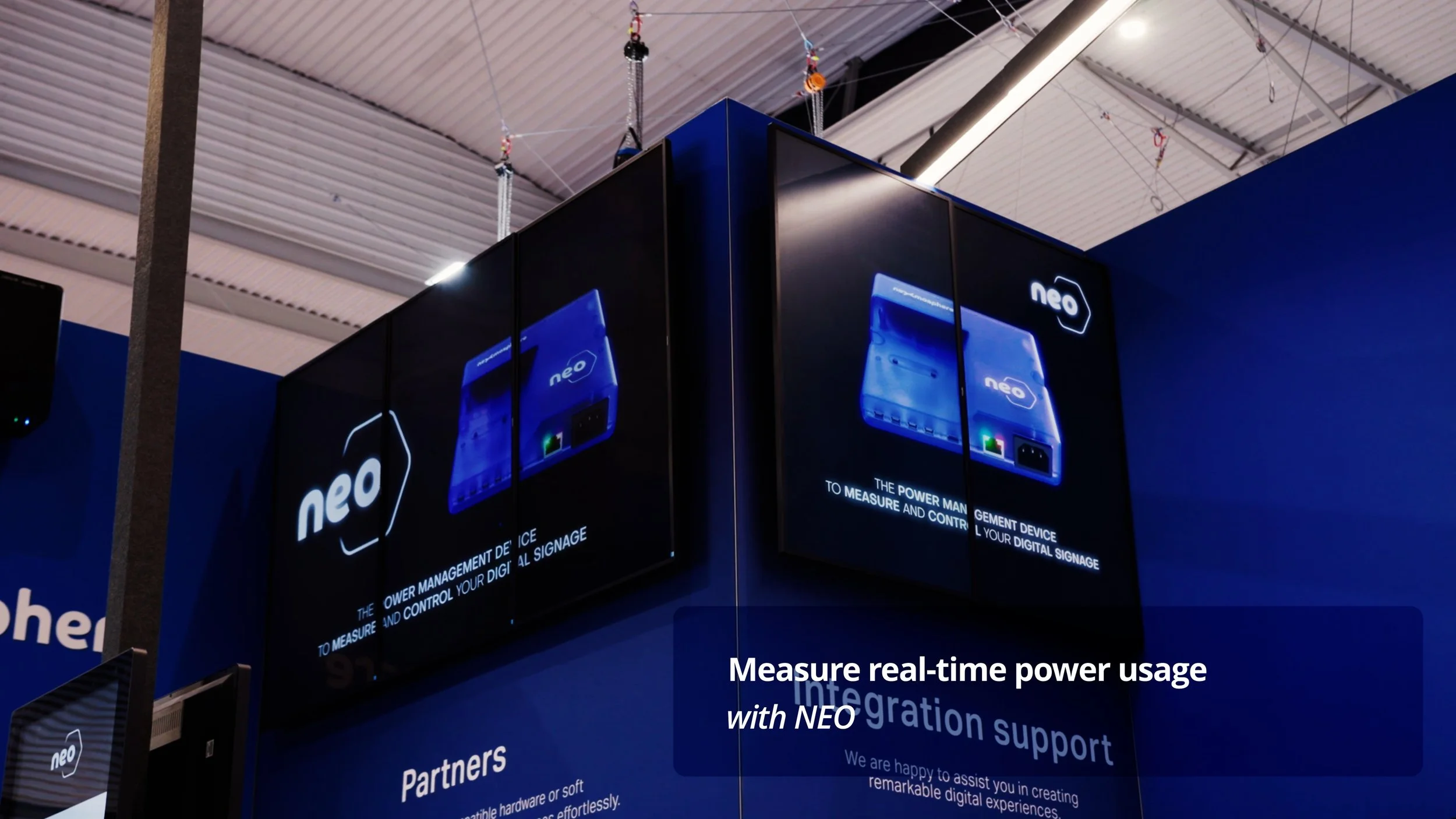
NEO is a power management device
that measures and controls all the components
in a digital signage installation.
Available now
Features
Power measurement
Gather highly accurate data on power parameters for each individual output, such as Voltage, Current, Power and Usage.
Power control
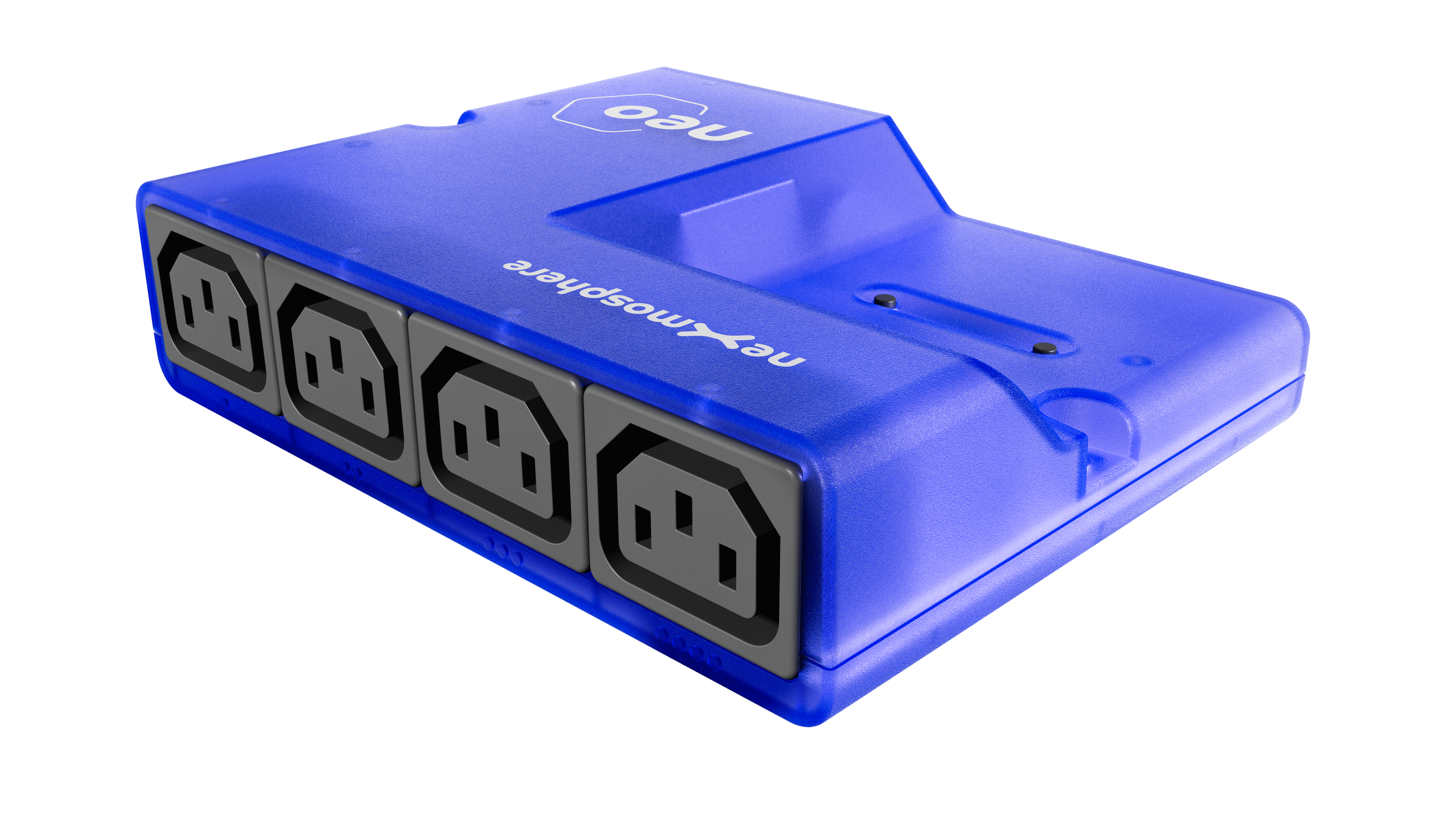
Control all 4 power outputs individually and create start-up and shut-down sequences.
Scheduling
Create and store up to 16 schedules for stand-alone power control applications.
Monitoring
Actively monitor your installation via numerous diagnostic features such as auto-counters and threshold warnings.
Standard API
Effortlessly integrate NEO controllers via Nexmosphere’s easy-to-implement serial API, with a single USB connection.
Sensor interfacing
Connect up to 4 Nexmosphere sensors to the NEO controller to create interactive applications or smart power routines.
Benefits
Measure actual power consumption
Measure the real power consumption of your setup instead of relying on the “typical power usage” specification.
Measure the power usage for different device settings (e.g. brightness of display) or different content types.
Start-up and shut-down control
Power your setup in the right order.
For instance: first the player, then the display.
System health monitoring
Check if your devices are still operating as expected. Are all displays switched on and not on standby?
Decrease field visits by remote power cycling.
Energy and Cost saving
Create automated schedules to power devices on and off in stand-alone setups.
Numerous smart routine possibilities such as switching on displays based on the presence of a person.
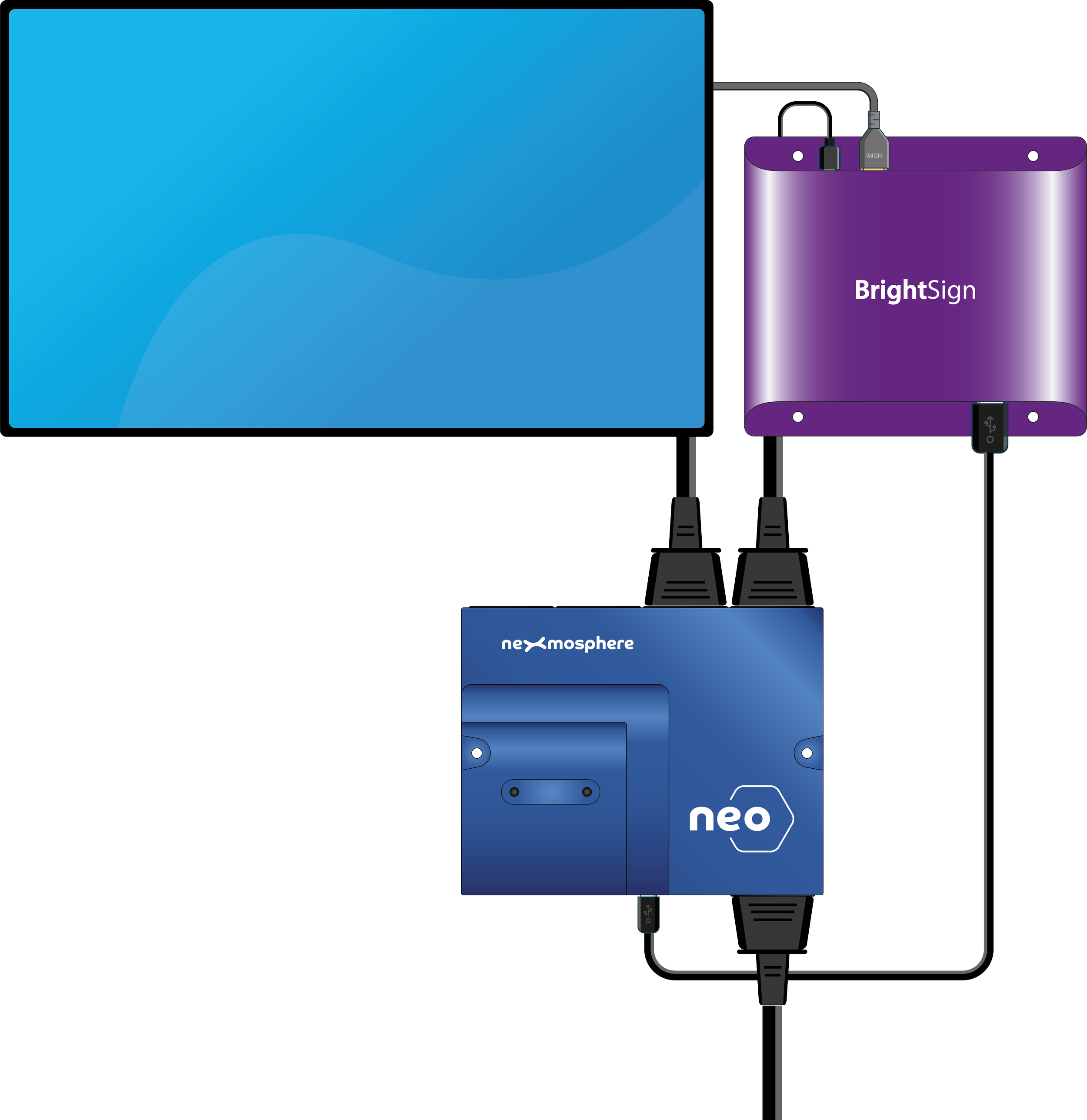
Easy USB connection
NEO connects to your digital signage player via USB, and can be configured for stand-alone usage.
Effortlessly integrate NEO controllers with your digital signage player via Nexmosphere’ s easy-to-implement serial API, with one single USB connection. Supported by numerous CMS partners.
or
Connect to network
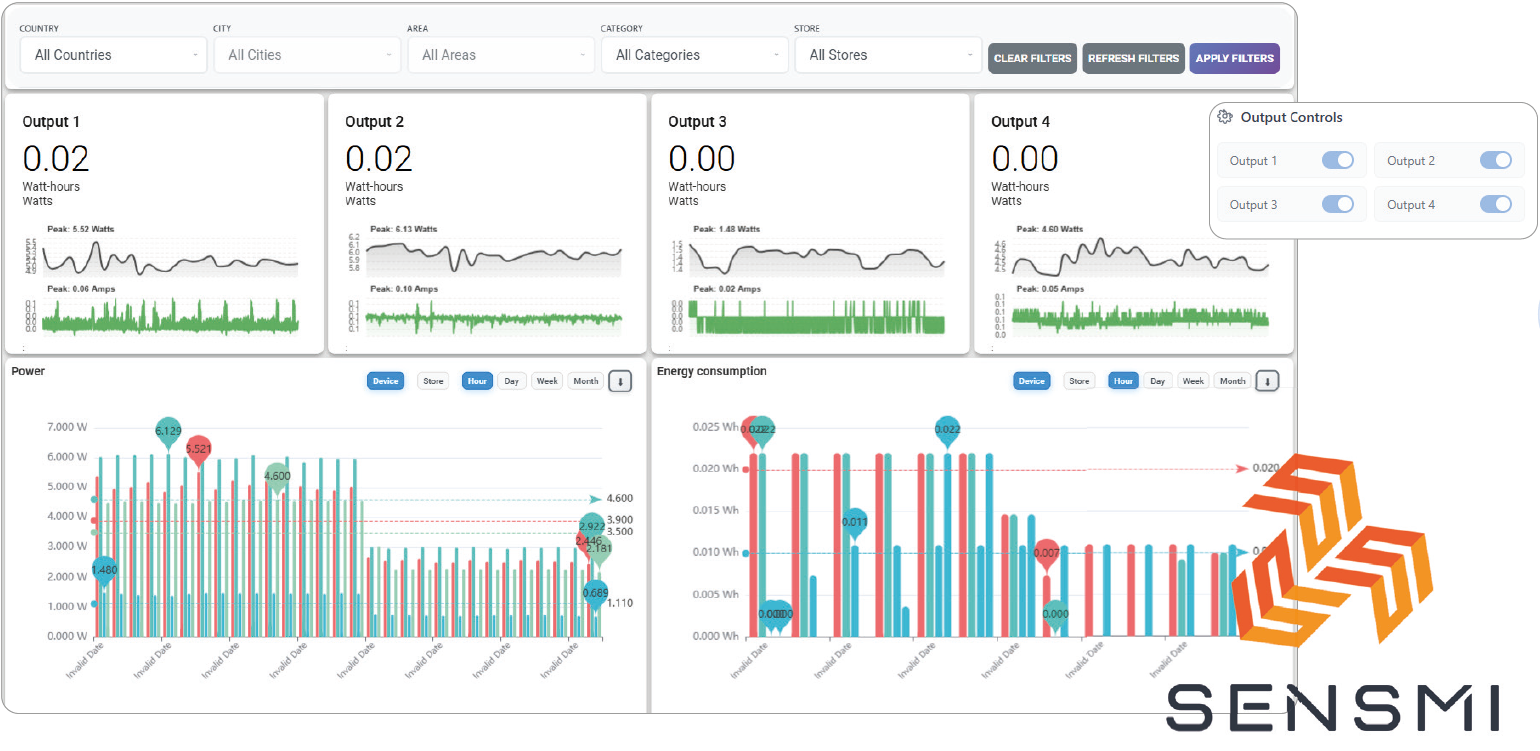
NEO connects to your network via UTP or Wi-Fi. When connected, pre-built online dashboards provide information and decision-making power.
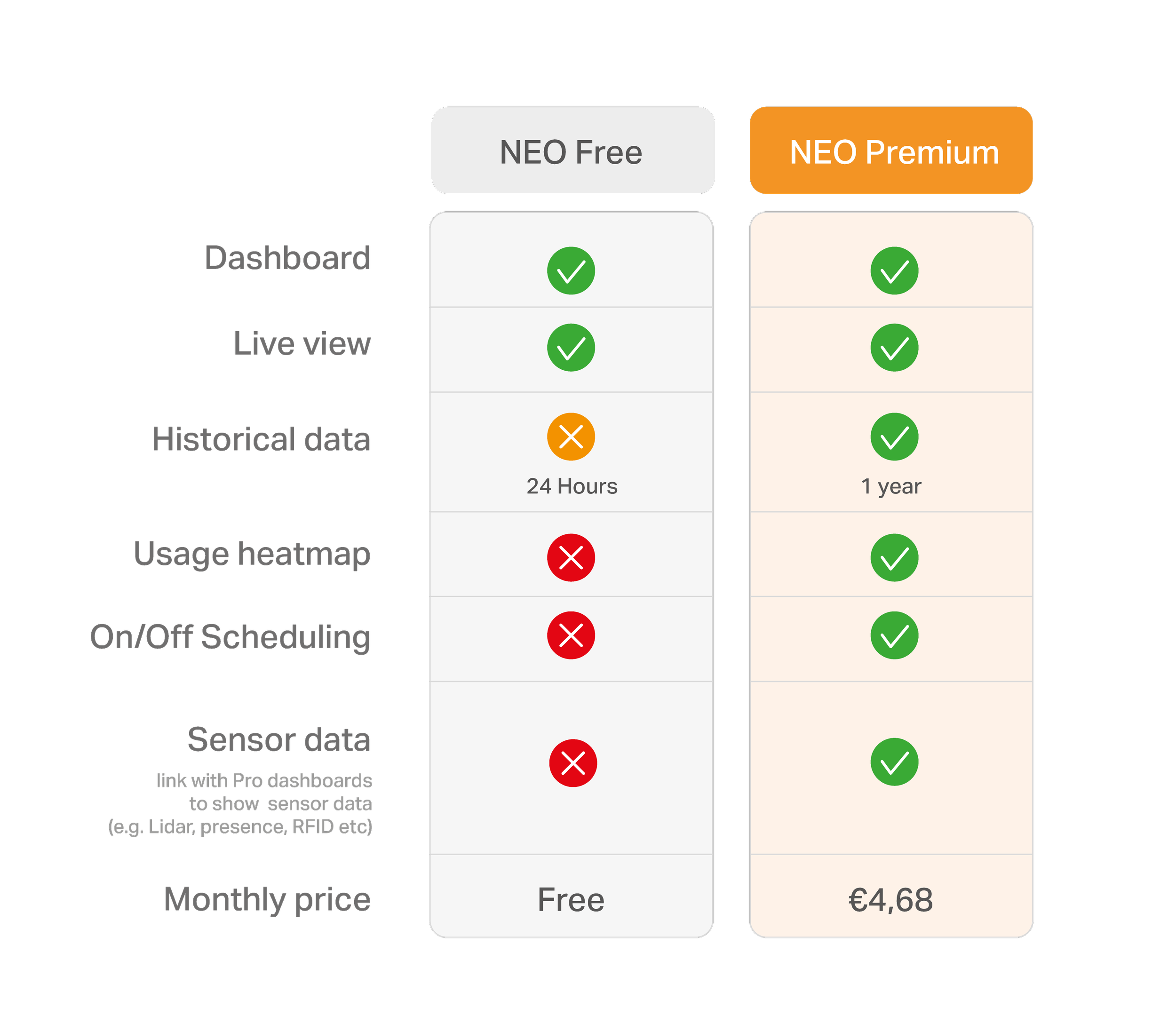
Nexmosphere provides a complimentary basic dashboard for all NEO users, with advanced packages available for those seeking enhanced features and comprehensive logging capabilities.
Server-to-server APIs are available to transfer the data into your own application.
Introduction offer
To celebrate the launch of NEO, you’ll receive a 6-month NEO Premium License, at no cost, when you order the functionality-packed NEO 640 or NEO620
Setup options
Stand-alone
Configure on/off schedules via USB once
No need to connect USB during operation
No power measurement data is stored
API-connection
Connect to your player via USB
Control the power outputs via API commands.
Get real-timepower measurement data and live monitoring features.
Dashboard
Connect NEO to your network via UTP
Use pre-built dashboards to visualize power measurement information.
Remote control of power outputs
Server-to-Server
Connect NEO to your network via UTP
Transfer power measurement data into your own application or CMS.
Add sensors
Create interactive applications and smart power routines.
The 4 onboard X-talk interfaces allow for connecting any Nexmosphere sensor with Nexmosphere’s easy-to-implement API. Combine multiple sensors such as Presence sensors, RFID, Ambient Light, Temperature, Touch buttons or Lidar.
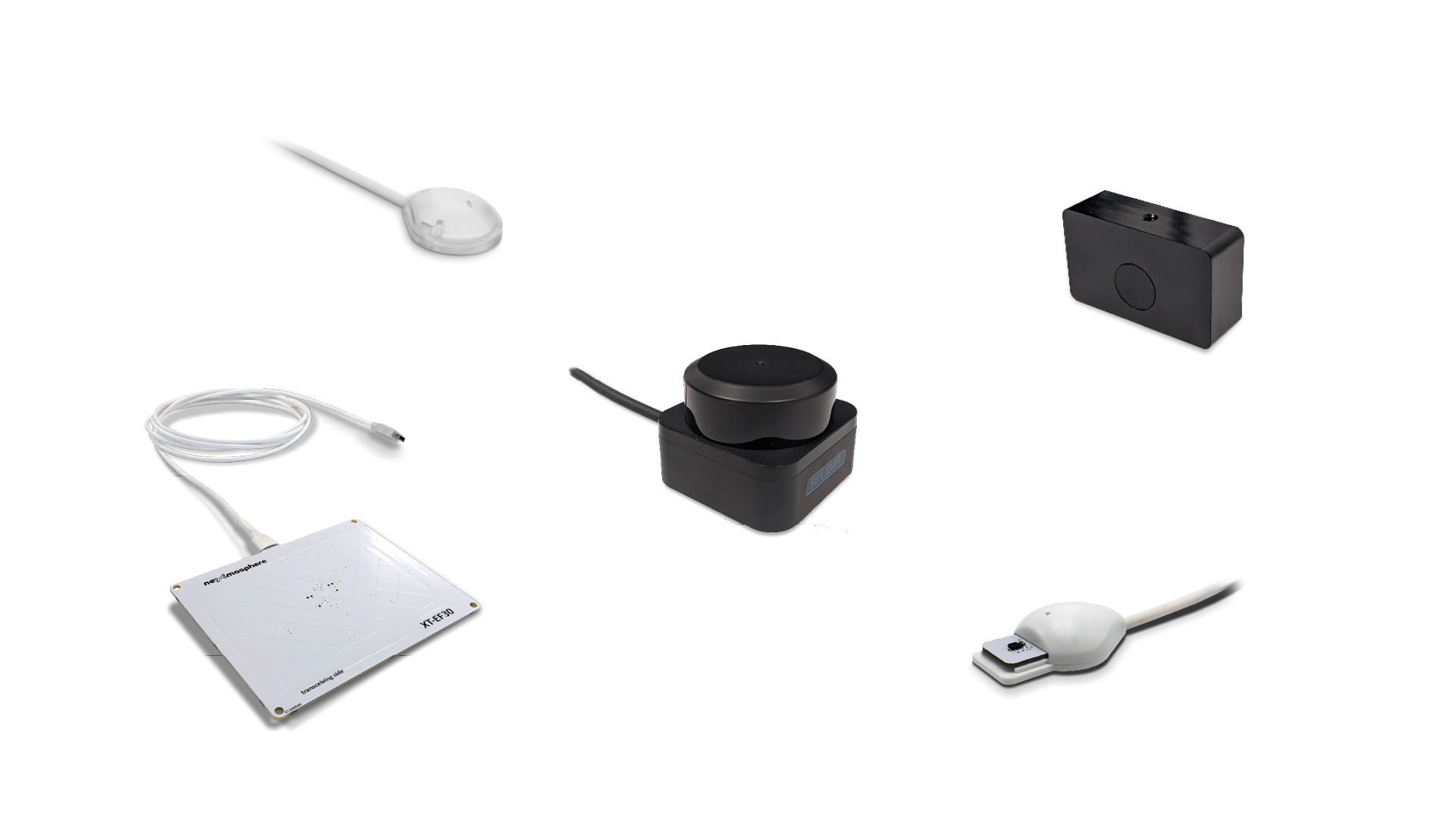
As with all Nexmosphere controllers, you can use the sensor input to effortlessly create interactive and engaging applications via one of the numerous compatible CMS packages.
Additionally, create smart routines to save on energy costs, such as powering off devices when not in use, or adjusting device settings (such as screen brightness) based on sensor input.
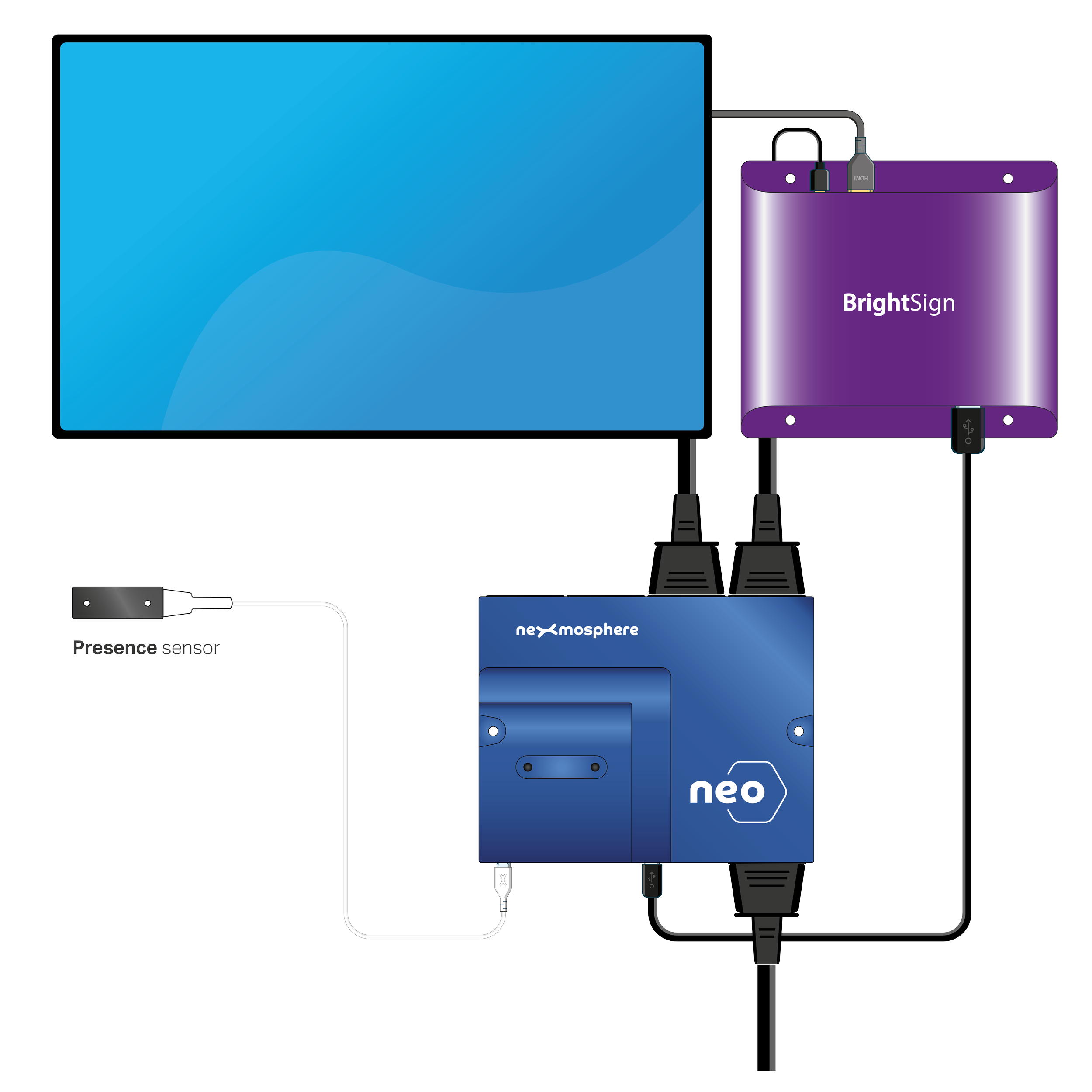
Presence sensor example
Trigger content based on the presence of a person.
Switch off the screen if there is noone present for a longer period.
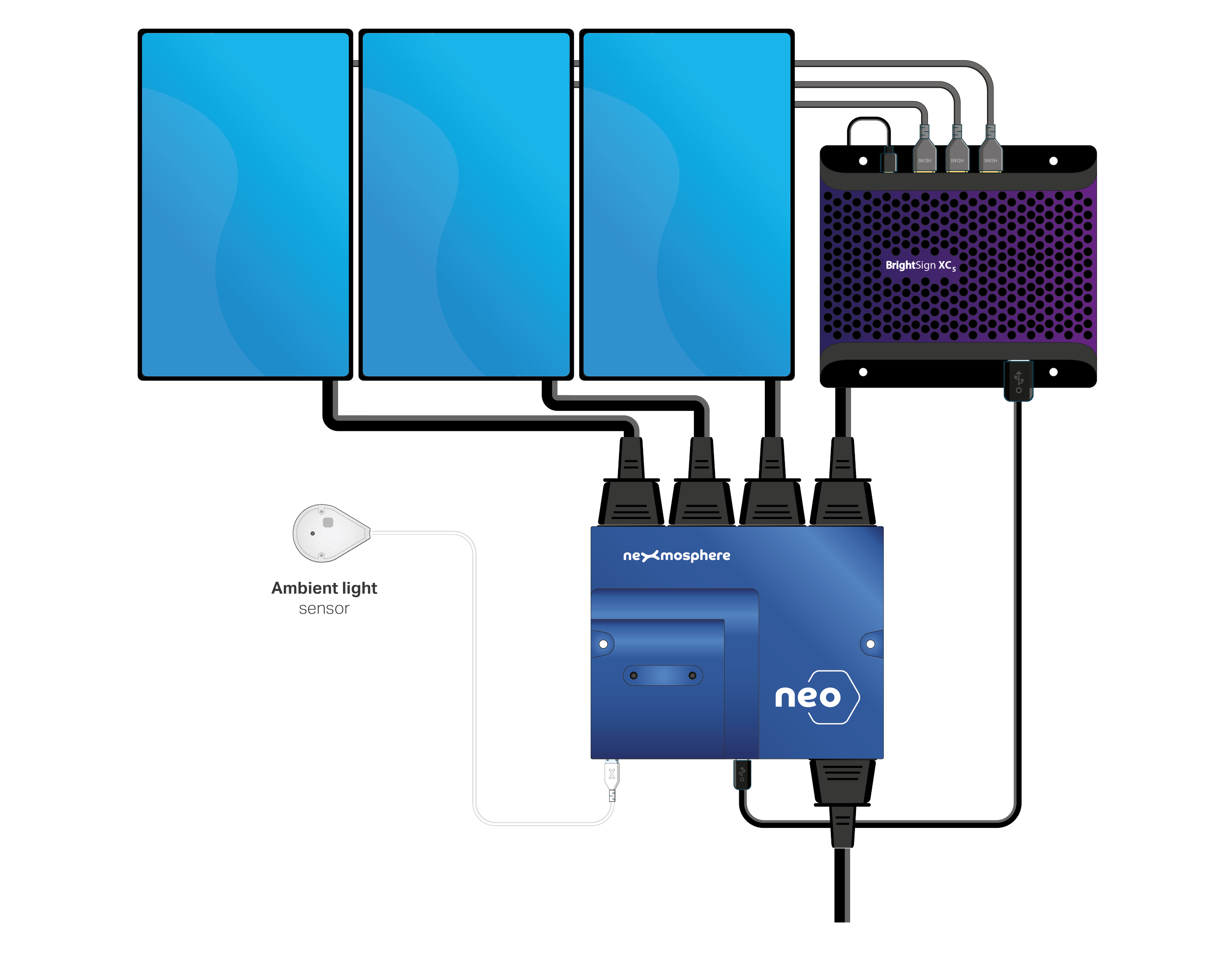
Ambient light sensor example
Adjust the screen brightness of video wall based on the ambient light level.
Create an auto-schedule to switch the installation off during closing hours.
Extensive range to fit numerous applications
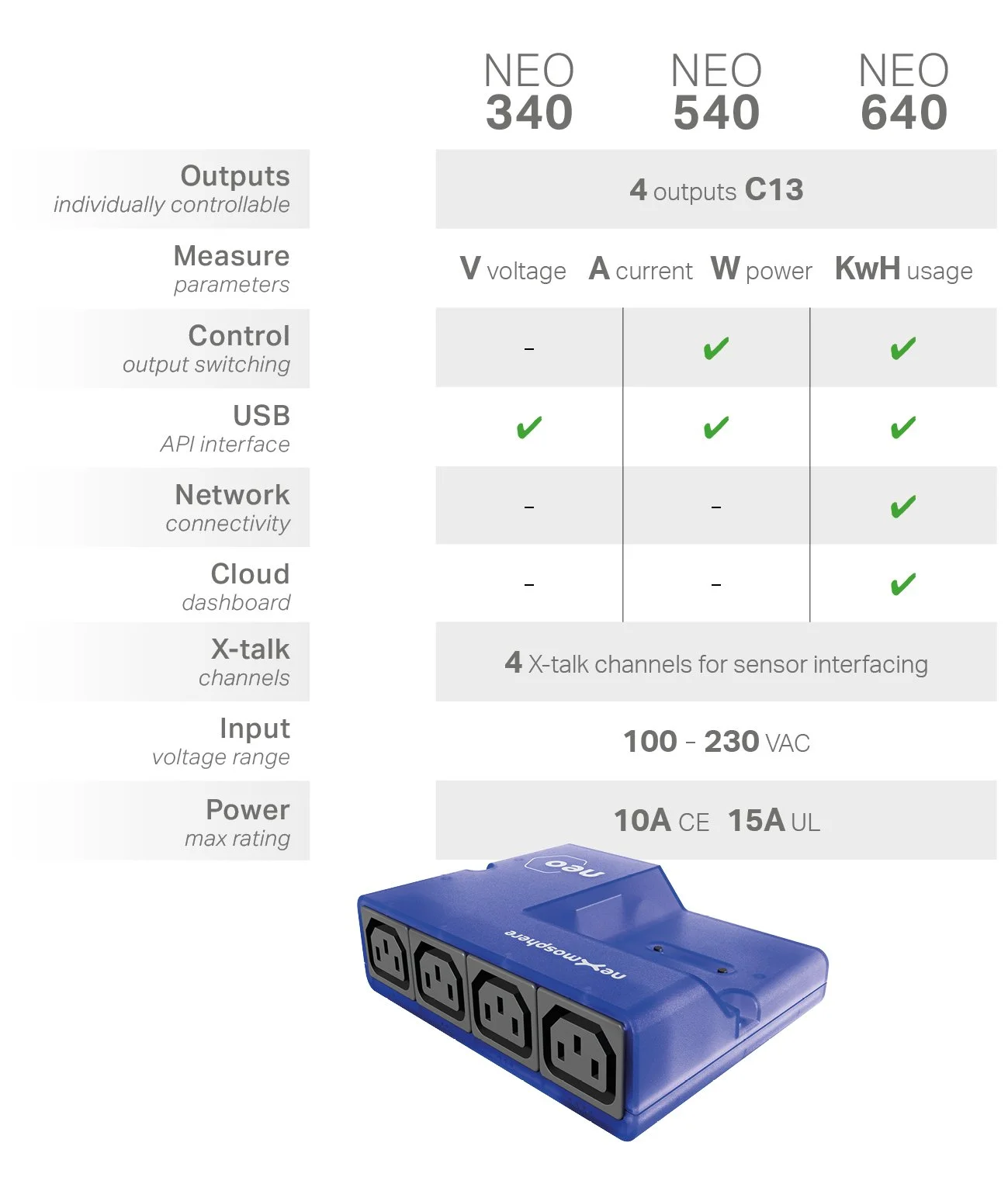
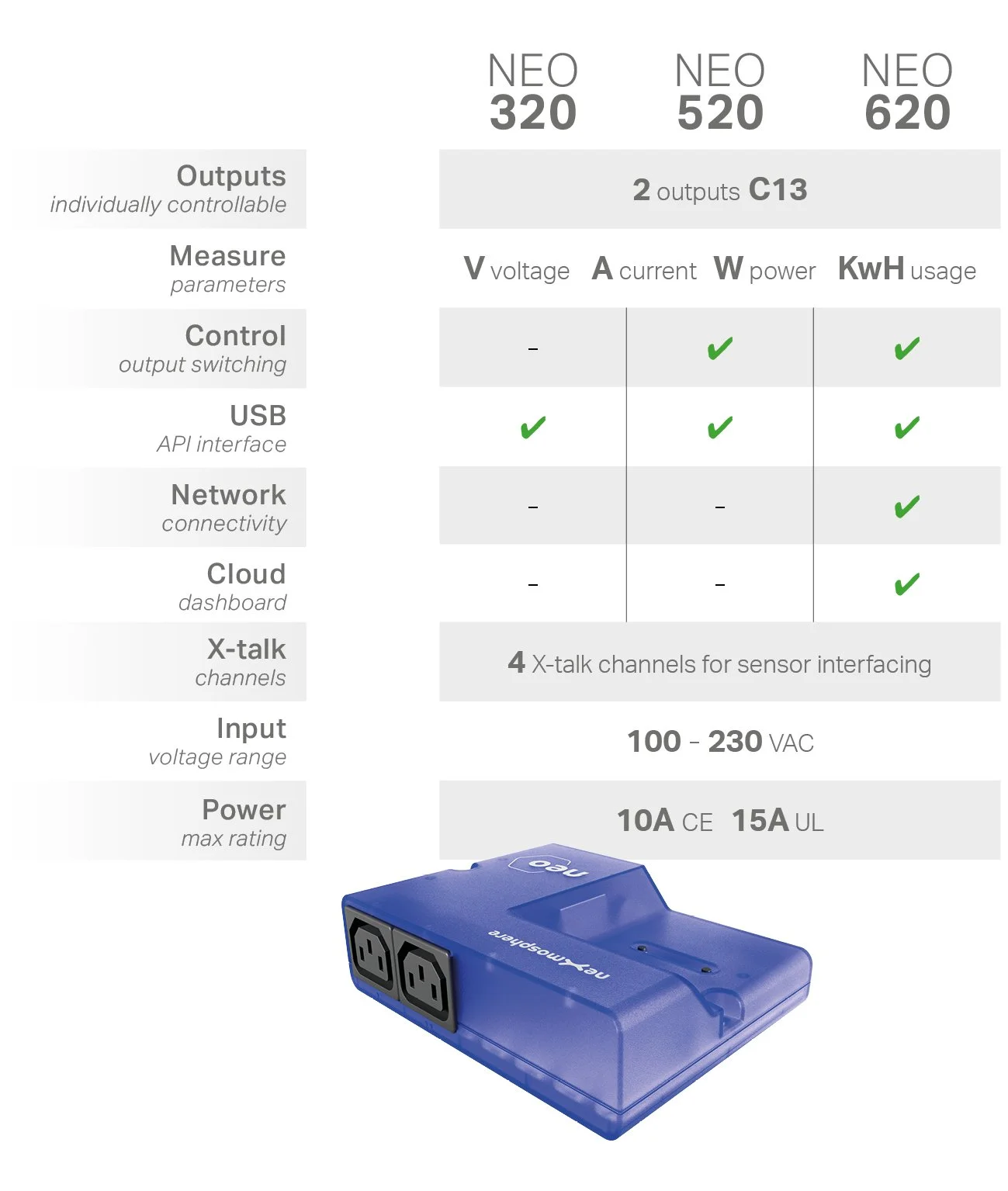
Available
IN STOCK
Numerous applications for any vertical

Retail
Automatically switch screens off during closing hours and switch them back on during opening hours.
Adjust the screen brightness based on the presence of shoppers, to save on energy costs.
Explore power costs for varying content, such as 4K vs HD.
QSR/ Kiosks
Control and measure all kiosk equipment remotely.
Implement start-up sequences to give each device a different startup time, ensuring a successful system boot. For example first boot the player, and 10 seconds later the screen, to ensure the display does not go to standby due to lack of HDMI input.
Restaurants
Automatically switch on menu boards during opening hours and switch them off when the restaurant closes.
Allow the staff to manually switch menu offerings (e.g. lunch vs dinner) via intuitive sensor input.
Hotels
Switch on the TV in a hotel room showing visitor info the guest enters the room.
Reuse older system components that normally can’t be switched on/off, together with new screens that can.
Both systems - old and new - can be combined in one CMS, managing both options simultaneously.
Museums
Automatically switch of installations (e.g. displays, lights etc) when there are no visitors in the area and switch them back on when a visitor is near.
Schedule stand-alone on/off switching based on the onboard real-time clock, for players which are not connected to the internet.

Office space
Switch on meeting room equipment when staff members enter the room.
Report quarterly energy savings to shareholders or for green certification.
Education
Automatically switch off digiboard when classroom is empty.
Teacher can switch on the devices via a push button, after which NEO starts a timer for the duration of one class. Once the class is over, the devices automatically power off.
DooH
Monitor system health via power measurement and additional sensors such as temperature and humidity.
Automatically restart the (5G) router when there is no internet connection.
If the system gets hot or overloaded, automatically switch off the power.
Adjust the screen brightness to the ambient light level.
Proof of downtime due to grid failure, which can then be excluded from contractual uptime requirements..
The NEO product range is complemented with power cables
to connect almost any product
available in 15cm, 60cm and 180cm
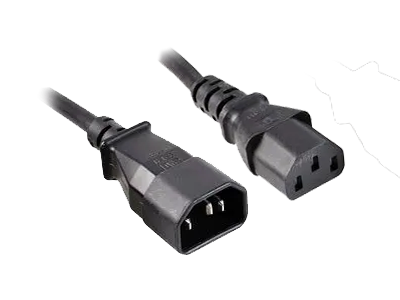
Output / Input cable C14/C13
also available as split cable
2x C13 and 3x C13
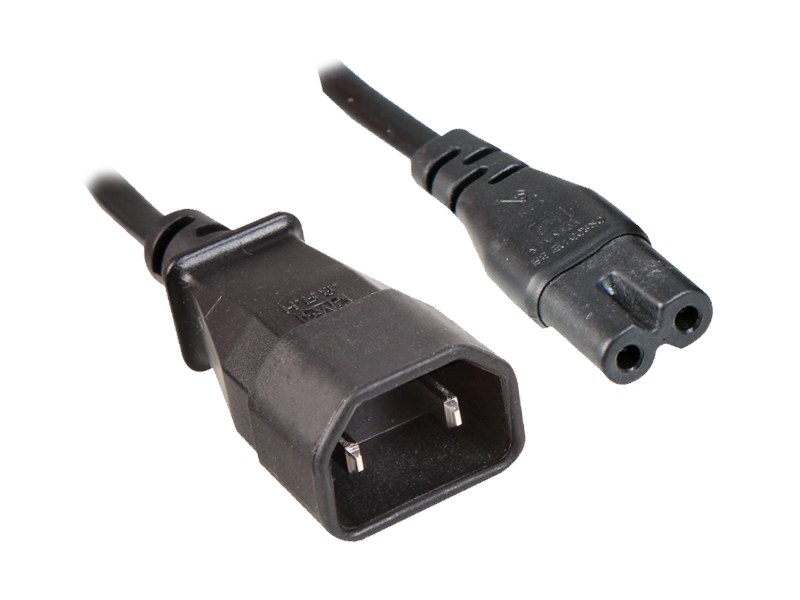
Output cable
C7
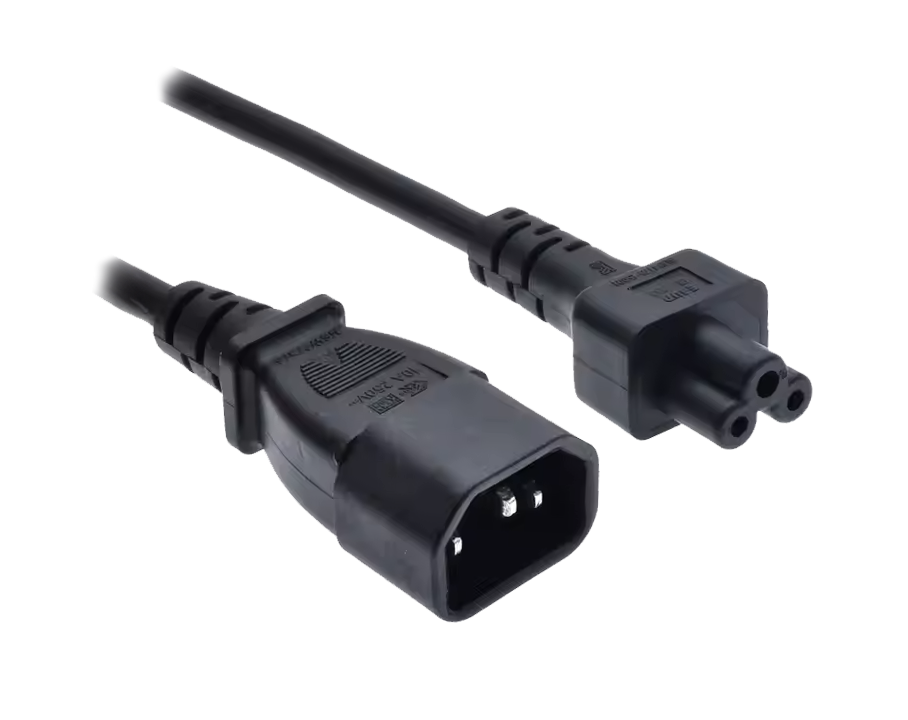
Output cable
C5

Output cable
EU Socket
also available as split cable
2x EU socket

Output cable
US Socket
also available as split cable
2x US socket

Output cable
UK Socket
also available as split cable
2x UK socket